
Fees paid in parts, recorded once.
SkulFi replaces the fee ledger, the receipt book and the queue at the bursar's window. Parents pay what they can, when they can, from a BSP account; the school sees every kina land against the right student.
Sign in with your PNG phone number — a one-time code arrives on WhatsApp, or by SMS if WhatsApp cannot reach you. No password, no app store. Parents and bursars use the same login.
For the parent, the bursar and the board.
Pay in parts, from anywhere
See each child's fees and balance, pay a part or the whole from a BSP account or the BM wallet, and keep the receipt on the phone. Relatives in town can pay too.
Record desk payments in seconds
Cash and cheque payments at the school are recorded against the student in the same ledger, so online and desk payments never drift apart.
One true balance per student
Every payment updates the student's balance automatically. No re-typing, no lost receipts, no end-of-term reconciliation marathon.
Reports for the board and the province
Fees set, collected and outstanding by class, category and term — printable, exportable, ready for the board meeting.
Tuition, project, boarding, PTA
Each fee category has its own amount and balance, so partial payments go exactly where the parent intends.
Straight to the school's wallet
Online payments credit the school's BM Pay wallet and are paid out to the school's verified bank account.
Three steps for a parent, one for the bursar.
The amount owed is worked out by the server from the school's fee table and what has already been paid — a parent can pay up to the remainder, never more.
- 1The school sets its fees per category and enrols students
- 2Parent signs in, sees the child's balance and taps "Pay online" for any amount up to what is owed
- 3BSP Pay confirms — the receipt and the balance update at once
- 4Bursar records desk payments the same way; reports build themselves
Put SkulFi on your phone.
SkulFi installs straight from the browser — no Play Store, no App Store, no big download. It opens from your home screen like any app, keeps working on a weak signal, and updates itself.
Install on Android
- Tap the button below (it opens SkulFi in Chrome)
- Tap Install on the banner — or ⋮ menu → Add to Home screen
- Find SkulFi with your other apps
Add to your iPhone
- Tap the button below (it opens SkulFi in Safari)
- Tap Share then Add to Home Screen
- Tap Add — done
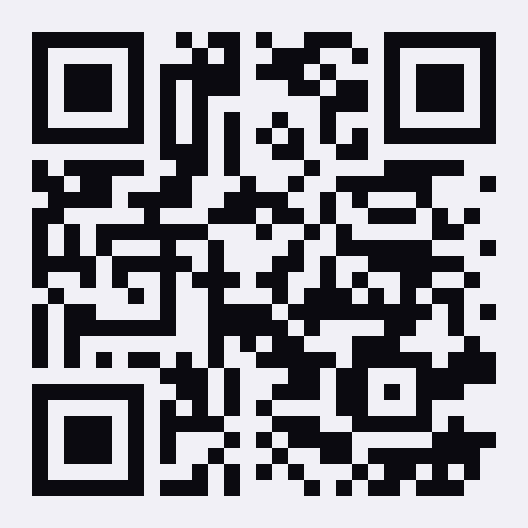 Scan with the phone camera to open SkulFi and install it
Latest version: checking… · Android phones running Chrome 90 or newer and iPhones on iOS 16.4 or newer. On other browsers, open the app and use the browser's "Add to Home screen" option.
Built on the BM rails.
SkulFi runs on BM ID and BM Pay. Schools subscribe for a flat yearly fee; parents pay only the small BM Pay fee shown at checkout.
- Blockchain Melanesia is working with the Bank of Papua New Guinea to secure its e-money licence for the BM wallet.
- Payments run through BM Pay on BSP Pay: CIF and mobile OTP, no card details typed into a phone.
- Fee amounts and balances are calculated on the server from the school's fee table — never typed in by the payer.
- Bursar access is granted per school by BM staff; a parent cannot become a bursar.
- A light web page that runs on any Android phone over a weak signal — nothing to install; English and Tok Pisin.
Askim na bekim
The things people ask before they try it.
Is SkulFi live?
It is in pilot with schools that asked to go first. If your school wants to join, contact us and we will set it up.
Can I pay for more than one child?
Yes — every child linked to your phone number appears on your home screen with their own balance.
What if I pay cash at the school?
The bursar records it against your child in the same system; you will see it in your history like an online payment.
What does the school pay?
A flat yearly subscription per school. There are no per-student charges.
Bring SkulFi to your school.
Parents: open the app and sign in with your number. Schools: talk to us and we will enrol your students and fee table for the pilot.
In pilot: live with a closed group while we finish testing. Ask us if you want your community, school or business in the pilot. The app currently lives at skulfi.netlify.app.